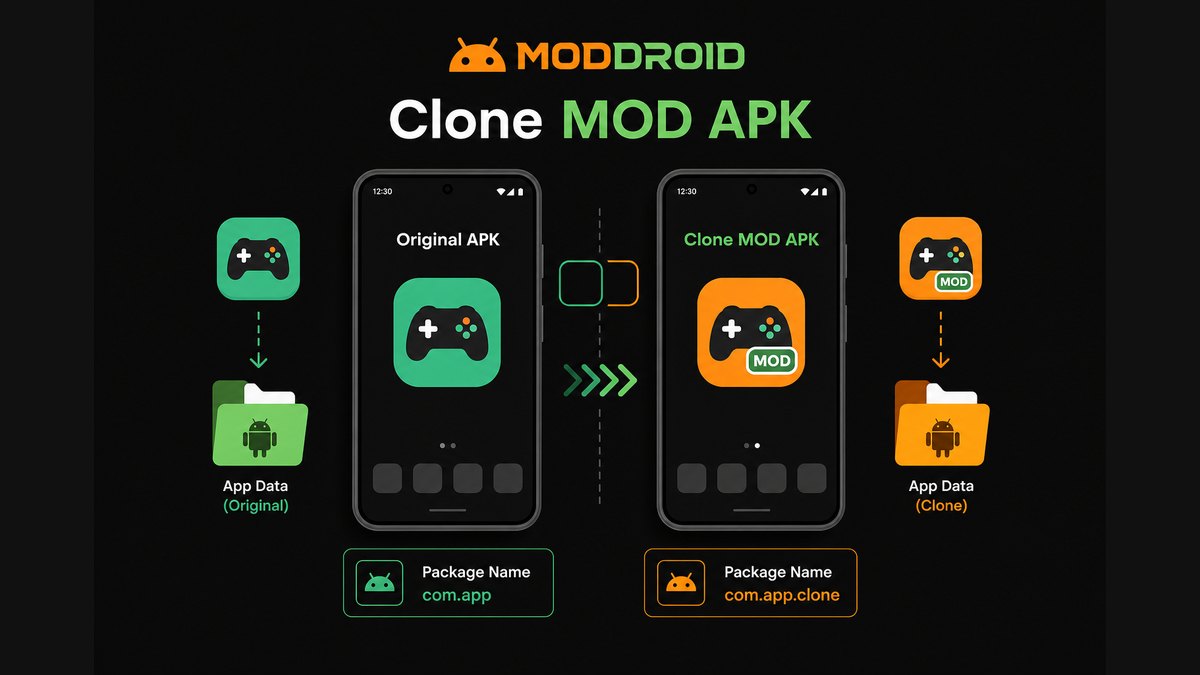
A clone MOD APK is a modified Android app that usually installs as a separate app beside the original. It often uses a different package name, a different signing identity, or a modified app label so Android treats it as another app instead of an update to the official one.
That sounds simple, but it explains many confusing MOD APK problems: duplicate app icons, separate app data, failed Google login, cloud sync not working, updates that install as a second app, and "App Not Installed" errors when users try to replace one package with another.
Quick answer: clone MOD APK in plain English
- A clone MOD APK is usually a modified copy of an app with a different package name.
- It can often install beside the original app instead of replacing it.
- It normally has separate app data, settings, notifications, and update behavior.
- It may not share login sessions, cloud saves, purchases, or backups with the original app.
- It is useful for testing a MOD without touching your main install.
- It is not automatically safer or more dangerous. Clone is a packaging method, not a safety rating.
FAQ: Clone MOD APKs
What is a clone MOD APK?
A clone MOD APK is a modified Android app that usually uses a different package name or signing identity from the official app. This lets it install as a separate app beside the original instead of replacing it.
Why does a clone MOD APK install as a second app?
Android treats apps with different package names as different apps. If the clone MOD uses a package name like com.app.clone instead of com.app, it appears as a separate installation with separate data.
Can I update a clone MOD APK over the original app?
Usually no. A clone MOD APK with a different package name installs beside the original. It does not update the original app because Android sees it as a different package.
Why does Google login fail in some clone APKs?
Google login, Play Services, cloud sync, and billing can depend on package names, app signatures, and callback settings. A cloned package may not match what Google or the original developer expects.
Is a clone MOD APK safer than a normal MOD APK?
Not automatically. Clone is a packaging method, not a safety rating. Risk depends on the source, permissions, behavior, version maintenance, and user reports.
Should I uninstall the original app before installing a clone MOD?
Usually you do not need to uninstall the original if the MOD is truly a clone package. Keep the original if you want to protect your main account or compare behavior before using the MOD build.
Explore more Android MOD APK guides on MODDROID
Browse More MODDROID Guides