This is a dialog window

Best Adobe Photoshop Alternatives for Android in 2026

June 11, 2026
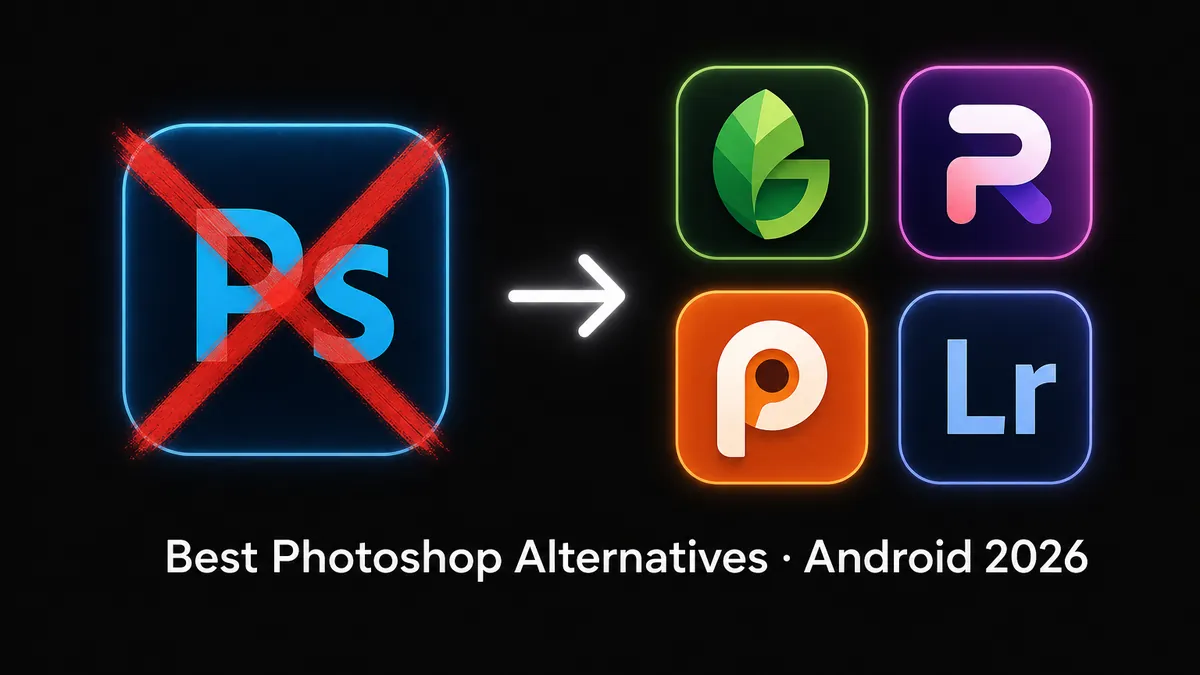
Best Adobe Photoshop alternatives for Android in 2026 — Snapseed, Photoroom, Pixlr, Lightroom compared

Want the closest Adobe experience without the subscription? Lightroom Mod APK unlocks premium presets with no monthly fee.

Download Lightroom — Free Mod APK

Photography category · Premium Unlocked · Latest version always available

The closest thing to Photoshop on Android is not another photo editor — it's Lightroom. Adobe built both products, and on a phone, Lightroom covers more of what Photoshop users actually do: RAW processing, precision color grading, masking, and a non-destructive edit stack. The other apps on this list each do one thing well; Lightroom does most of them — and the Mod APK removes the only real reason to hesitate (the subscription).

That said, there are three situations where a different app is the better fit: zero-cost casual editing (Snapseed), product photo background removal (Photoroom), and multi-image compositing with layers (Pixlr). This article covers all four so you can pick the right tool — or know why Lightroom is the one to start with.

Quick pick: start here

  • Coming from Photoshop and want the best overall replacement: Lightroom Mod APK — download here
  • Only need quick edits at zero cost, no account: Snapseed (fully free, no ads)
  • Primarily doing product photos and need clean background cutouts: Photoroom (Mod APK removes watermark)
  • Need to composite multiple images with blend modes: Pixlr (Mod APK removes ads)

Why Photoshop on Android Disappoints — and What to Do Instead

Adobe Photoshop for Android is not the same product as Photoshop on desktop. The mobile app launched as "Photoshop Express" and only recently dropped the "Express" branding — but the feature set remains limited: no proper layer panel, no path tools, no content-aware fill, no plugin support. You are paying $9.99/month for a stripped-down version of a tool that does far less on a touchscreen than it does on a monitor.

Here is the core insight most people miss: the majority of what Photoshop users actually do on a phone is photo correction, not pixel manipulation — exposure, color, sharpness, selective adjustments. That is a Lightroom job, not a Photoshop job. Adobe built Lightroom specifically for this workflow, with a touch-optimized interface, RAW support, and masking tools that work far better on a small screen than Photoshop's selection-based approach.

The three apps covered after Lightroom each handle a narrower task that Lightroom does not focus on — but for the broad question of "what replaces Photoshop on Android," Lightroom is the answer most people are actually looking for.

Lightroom — The Real Photoshop Replacement for Android (Recommended)

Lightroom is what most people searching for a Photoshop alternative actually need. It handles RAW files from Android cameras and DSLRs, has a full HSL and tone-curve panel, supports third-party presets, and its masking tools — sky selection, subject selection, radial and linear gradients, range masking — are more powerful for photo grading than anything else available on Android. The interface is designed for touch from the ground up, not ported from a desktop selection-based workflow.

Why it outperforms Photoshop on mobile

On a phone, Photoshop's main advantages (layers, paths, content-aware fill) are cumbersome to use with fingers. Lightroom's advantages — parametric adjustments, presets, masking by subject or color range — are exactly what touchscreens handle well. If you have ever found yourself in Photoshop mobile just doing exposure and color corrections, you have been using the wrong Adobe app. Lightroom does those faster and with more precision.

What the Mod APK unlocks

The free version of Lightroom already includes the core editing panel, but it gates premium presets, the Healing brush, Object Select masking, Range Masking, and cloud sync behind a subscription. The Mod APK unlocks Lightroom Premium entirely — all preset packs, all masking tools, no sync limits — without the monthly fee. This is the version worth using if you do any serious photo work on Android.

Who should install Lightroom first

  • You shoot RAW with a phone or camera and want proper non-destructive grading on Android
  • You use Lightroom presets in your desktop workflow and want the same presets on your phone
  • You want the most complete photo editing experience Android has to offer, without a subscription
  • You were using Photoshop mainly for color corrections and adjustments — Lightroom does that better

Snapseed — Best If You Want Zero Cost and No Account

Snapseed is made by Google and has been completely free since 2012 — no subscription, no watermark, no in-app purchases, no ads. It covers the adjustments most casual mobile photographers use: selective color, curves, healing brush, perspective correction, lens blur, and a non-destructive edit stack. For occasional edits where you want results fast with no friction at all, it is hard to argue against.

Where it works well

Healing brush for removing objects, selective adjustments on specific areas, curves for tonal control, and a "Details" tool for structure and sharpening. The Portrait filter handles face-aware smoothing and light adjustments without any manual masking. For casual single-photo editing with no learning curve, Snapseed is genuinely excellent.

Where it falls short compared to Lightroom

No RAW file support. No preset system — you cannot save or apply a consistent look across a series of photos. No sync across devices. No masking by subject or color range. If you are editing more than a few photos at a time, or care about a consistent visual style, Snapseed's toolset becomes a ceiling rather than a feature. Lightroom handles all of these; Snapseed does not.

When to choose Snapseed over Lightroom

  • You edit photos rarely and want something that opens fast with no account required
  • You need the app to work fully offline with no setup at all
  • Cost is the only factor — Snapseed is the only app on this list that is truly, permanently free with no catches

Photoroom — Specialist for AI Background Removal (Not a General Editor)

Photoroom does one job — AI background removal — and does it better than any other app on Android. The AI cuts subjects out in seconds, handles difficult edge cases like hair and transparent objects, and places the result on a new background or blank canvas ready for product shots and social posts. If background removal is a regular part of your workflow, this is the tool for that task specifically.

Why it beats Photoshop's background removal on Android

In Photoshop mobile, background removal is a slow, imprecise process. Photoroom's AI model is trained specifically for mobile product photography and produces professional-quality cutouts in a fraction of the time. For clean-background shots — clothing, shoes, electronics — the results are consistently better than any manual selection approach.

What Photoroom does not do

Everything else. There is no color grading, no RAW support, no adjustments panel, no preset system. Photoroom is a one-tool app — it excels at cutouts and background swaps, and stops there. If you install it expecting a Photoshop replacement, you will be disappointed. It works best as a companion to a general editor like Lightroom, not a replacement for one.

Free tier and Mod APK

  • The free version adds a watermark to exports — the Mod APK removes it and unlocks batch processing
  • Use Photoroom for background removal, then bring the result into Lightroom for color and finishing

Pixlr — For Multi-Image Compositing When Layers Are the Requirement

Pixlr is the only app on this list with a real layer panel. If your work involves stacking multiple images with blend modes, applying masks, or creating composites — placing a subject onto a different background, double exposures, texture overlays — Pixlr is the tool for that. It replicates the structural workflow of Photoshop's Layers panel more closely than anything else available on Android.

What layers actually let you do

Multiple image layers with Multiply, Screen, Overlay, and other blend modes; layer masks; opacity control; merge and flatten. These capabilities make Pixlr the right pick for graphic work that starts with photos — composite scenes, styled product shots, poster-style social media graphics that blend photography with text and design elements. Snapseed and Lightroom cannot do any of this; Photoroom handles only the cutout step.

Where Pixlr falls short for photography workflows

Pixlr's color grading tools are weaker than Lightroom's. There is no RAW support, no preset system, and no masking by subject or sky. The interface is denser than Lightroom's and takes more time to learn. If your primary goal is photo editing and color grading rather than compositing, Pixlr is the more complex option with less payoff than Lightroom.

When to choose Pixlr over Lightroom

  • Your project requires blending multiple photos into one image with blend modes
  • You are creating social media graphics that combine photography with text, shapes, and design elements
  • You specifically need layer-based workflow and Lightroom's parametric approach is not enough

Verdict: Install Lightroom First, Add Others Only If You Hit a Specific Limit

For most Android users coming from Photoshop, Lightroom Mod APK is the right starting point. It covers color grading, RAW processing, masking, presets, and non-destructive editing — the full set of tasks that most people actually use Photoshop for on a phone. The Mod APK removes the subscription barrier, so there is no cost reason to avoid it.

Add Snapseed if you want a zero-friction backup

Snapseed installs in seconds, needs no account, and works offline with no setup. Keep it for quick one-off edits where opening Lightroom feels like too much. Both apps coexist fine on the same device.

Add Photoroom only if you regularly remove backgrounds

Photoroom does one thing that Lightroom does not focus on — AI background removal. If you shoot product photos for listings or social media and need clean cutouts regularly, Photoroom Mod APK handles that job faster than anything else. Use it for the cutout step, then finish in Lightroom for color and tone.

Add Pixlr only if your work requires compositing multiple images

Pixlr's layer panel is genuinely useful for blending multiple photos or creating composite graphics with design elements. If you hit a wall in Lightroom because you need to stack images with blend modes, that is when Pixlr earns its place. For pure photography workflows, Lightroom is stronger — only install Pixlr when the layer requirement is real.

FAQ: Photoshop Alternatives for Android

Is Adobe Photoshop free on Android?

No. Photoshop on Android requires an Adobe Creative Cloud subscription ($9.99/month). The free version is heavily restricted. For most Android users, Lightroom Mod APK covers the same editing tasks with better touch optimization and no subscription.

What is the best alternative to Photoshop on Android?

Lightroom is the best overall replacement — it handles RAW editing, color grading, masking, and presets with a touch-optimized interface that works better on phones than Photoshop's selection-based tools. The Mod APK removes the subscription requirement entirely. For zero-cost casual editing, Snapseed is the best free option with no account needed.

Which Photoshop alternative works best offline on Android?

Snapseed and Pixlr work fully offline after installation. Lightroom's core editing tools also work without internet. Photoroom's AI background removal requires an internet connection for processing.

Where can I download Lightroom Mod APK for Android?

Use the Download Lightroom button at the top or bottom of this article to get the latest Lightroom Mod APK from MODDROID's photography category.

Related on MODDROID

Get Lightroom Mod APK for Android — premium presets, no subscription

Get Lightroom Mod APK on MODDROID

🔥 Cerchi altri mod APK? Esplora i download più popolari del 2026. Vedi i popolari →
56.5K Shares
twitter facebook tumblr reddit quora medium